
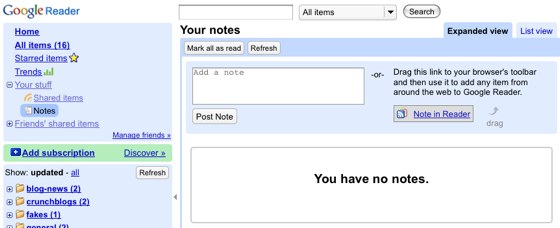
 Google Reader is my RSS reader of choice. It makes it possible for me to keep up with about 100 blogs and websites. The “Share” feature (which I mention here from time to time) let’s me flag and post a story to my “shared stories” page. Just click the “more stories” link at the bottom of the little blue box on the right side of this page.
Google has added a Notes feature that let’s me share a story AND include a brief note about it. I can also highlight text on a web page, click the “Note” button in my browser toolbar and add the text… with my note… to my shared page.
I know, it’s a little confusing. But this is good shit. There’s a social networking aspect to this but let’s not go there right now.
If you use Google Reader, check out the notes feature. You can get a better explanation at Techcrunch and the Google Blog.
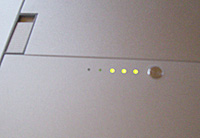 I’ve had my MacBook Pro for two years and I’m still discovering cool new features. Today I was putting it way when my hand brushed a tiny button on the bottom of the laptop and a row of tiny green lights came on. At first I couldn’t figure out what it was and then I got it. A battery strength indicator.
 The tagline on the
  NYT Bits Blog reports the results from a January survey (of 10,000 adults) of
  I started succumbing to Mac Lust just about two years ago and finally broke down a few weeks later. Today, like most Mac users, I keep my entire life on my (insert Mac model here). I never did that with my Thinkpad. It was more of a “spare” computer. Too heavy to lug around and very wifi unfriendly.