
Category Archives: Gadgets & Apps
Nest Cam Outdoor
My first impressions of this camera are very positive. Very easy to install and set up. Plug it in, connect to your wifi network and you’re done. The camera mount is magnetic so you can swivel the cylindrical camera to change the viewing angle. Good image, day and night and camera has a mic and speaker so we can communicate with any visitors.
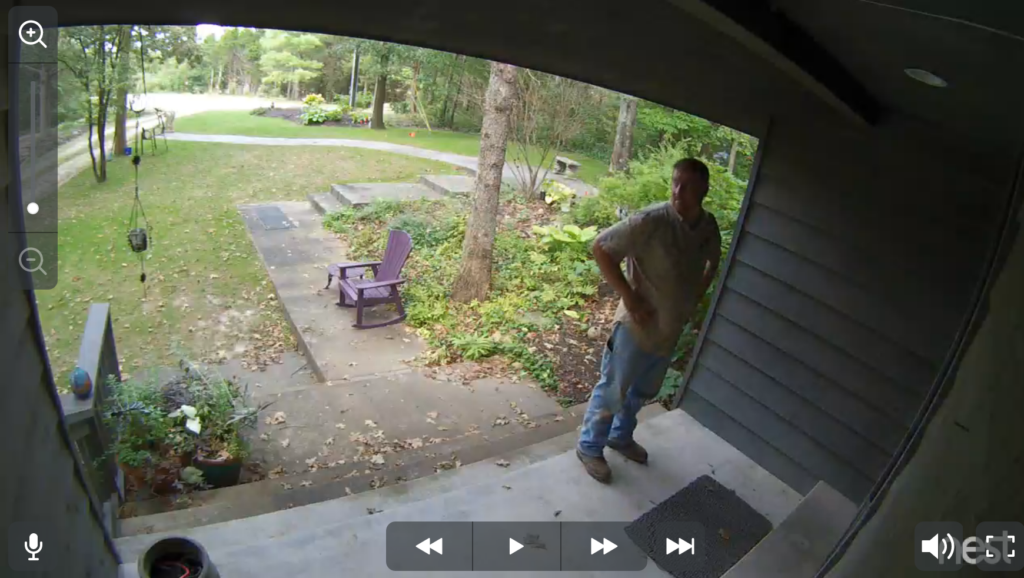
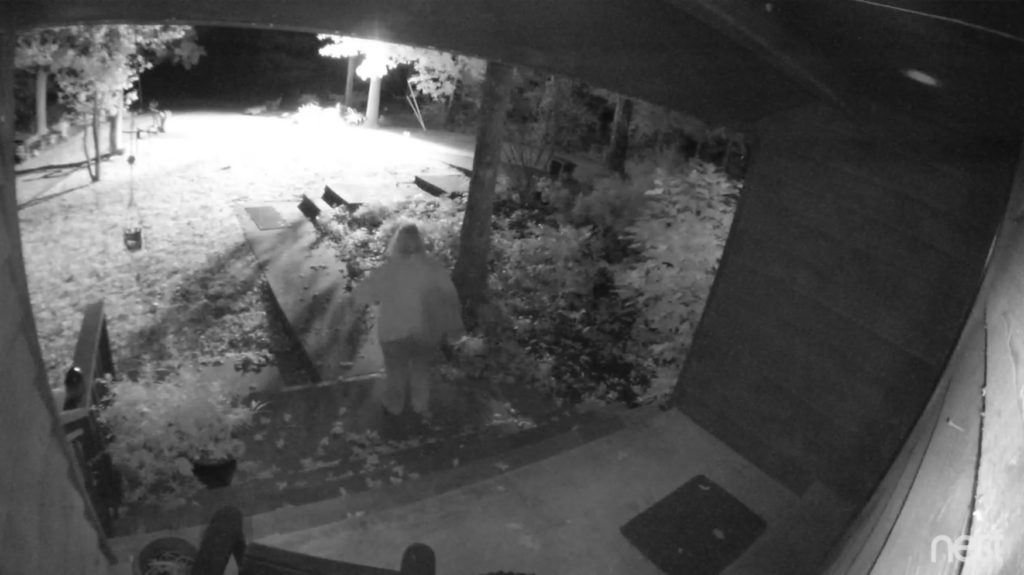
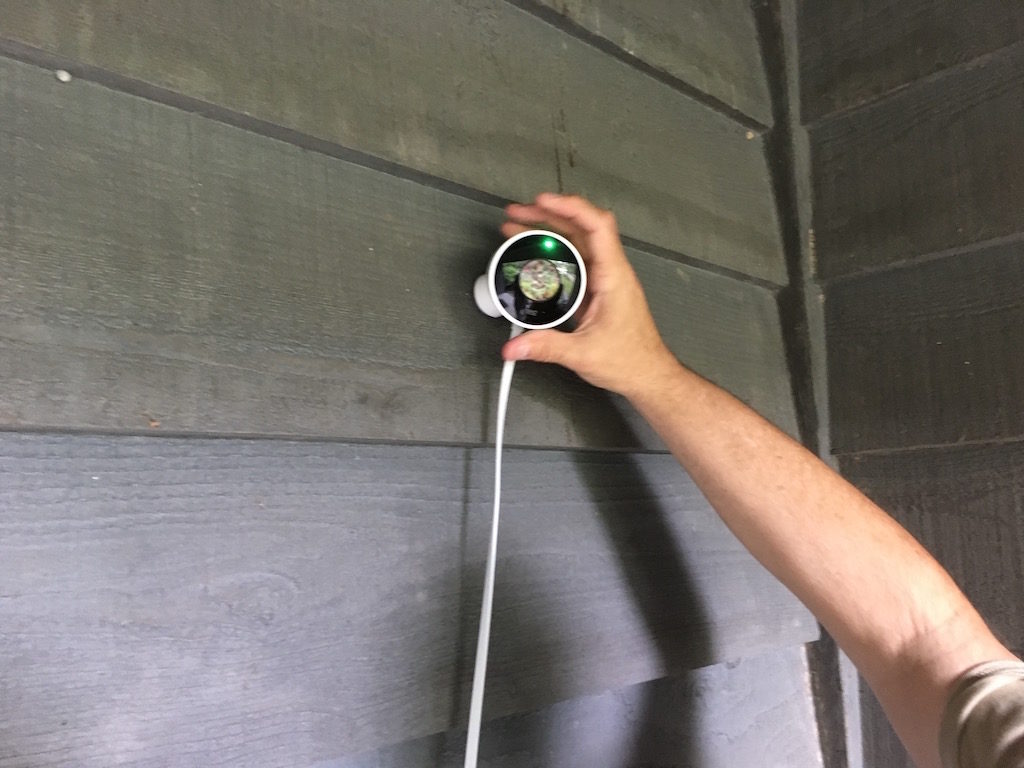
There’s a Nest Aware option ($10/mo) that captures and stores video but that’s not something we need. But nice to have if we lived in a neighborhood with high crime or nosy neighbors. The camera is motion sensitive and can alert you when you have a visitor. I’m still getting familiar with the software but can monitor with iPhone app or from a browser on my laptop.
For you glass-half-empty types: Yes, a bad guy could rip this off the wall or cut the power cord or spray-paint the lens or just go in the back door. But for $200, this is a simple, effective security camera.
UPDATE: Brief clip of night video from Nest Cam
When the interface becomes invisible
There’s been a lot of wailing and gnashing of teeth over Apple’s announcement there won’t be a headphone jack in the new iPhone. Eliminating the jack leaves more room inside the device and makes it more water resistant, which makes sense but Frank Swain (New Scientist) thinks there’s more going on here.
“Unlike visual interfaces, which demand your attention, audio provides an ideal interface for pervasive, background connectivity. The end goal is a more immersive type of computing, where the interface itself becomes invisible.”
I talk to my iPhone more and more. Google Now, Siri, text-to-speech. And my device (I just don’t think of it as a ‘phone’ these days) is getting better at “understanding” me and giving me the information I ask for.
But if Apple’s new bluetooth Air Pods work as Mr. Swain thinks they will, they might take us much closer to “a more immersive type of computing, where the interface itself becomes invisible.” Suspend your disbelief for a minute or two and imagine me sitting in my local coffee shop with my Air Pods in my ever-larger ears. I’m listening to Bob Dylan.
Siri: Excuse me, Steve, but you have a message from George Kopp. Would you like for me to read it to you? [George is on a VIP list of people I’ve told Siri I’d like to hear from when I’m doing other stuff]
Me: Yes, please.
Siri: George wants to know if you you’d like to have lunch at the fish place?
Me: Tell him I’d love to. What time?
Siri: I’ll check… George asks if noon is good for you?
Me: Tell him it’s a date.
[Later that morning]
Siri: The new John Sanford novel you pre-ordered on Amazon has shipped. Should arrive this Friday.
Me: Thanks, Siri. Put a link on my calendar to the description of the novel. I can’t recall what this one is about.
Siri: I’ve added a link. If you’d like, I can read you the description now…
Me: Okay. Please do [Siri starts to read the description, I remember, and tell her she can stop]
Siri has a standing order not to contact me between 10 p.m. and 7 a.m., unless I get a call from someone on my VIP list. Next morning I pop in one of the AirPods…
Me: Good morning, Siri. What do I have on the calendar for today?
Siri: You’re joking, right? [I’ve programmed Siri to have a sense of humor where she thinks appropriate] Actually, you do have one item. Hattie has an appointment at the vet for her annual shots. 4 p.m.
Me: When was she last at the vet? [Siri has access to my calendar, of course)
Siri: Looks like March 8th of this year. There’s a PDF of the vet’s notes from that visit attached to the appointment on your calendar. Would you like for me to email that to you?
Me: No thanks, I remember now. What’s the big news this morning? [I’ve given Siri a list of topics I’m interested in and she augments that with what I’ve been reading and searching. She reads headlines]
Me: Wow. Can you play the audio (from YouTube clip) of Trump saying he thinks Putin is a great leader?
Siri: Of course. The clip runs 45 seconds.
I could go on (and on) but you get the idea. Before anyone freaks out about Siri… this could Google Now or Amazon Alexa or (fill in the blank). And I’ve given my digital assistant access to all or most of my accounts. (Hey, Siri… when is my VISA bill due?)
Not keen on having a robotic voice buzzing in your ear all day? Chill. It will be as natural and pleasant as any human voice you hear. Even better. [More examples]
Will it seem strange to hear and see people talking quietly to these digital assistants? At first. But it’s pretty common to see people talking via bluetooth devices now. When everyone has and uses this kind of tool, it won’t seem that odd. Remember it would have once seemed strange to see people walking down the street talking on a phone.
No, I don’t think Apple is simply trying to get rid of the little white wire hanging from our ears. This is about a new way of accessing and interacting with all of the information in the world.
Nest Cam Outdoor
Safe Deposit Box Time Capsule
When my buddy John traded in his old Windows box for a sleek new Chromebook, he quickly fell in love with Google Drive. When he added ScannerPro 7 to his iPhone there was no holding him back. Credit card statements, receipts, you name it. Last week he reported he had scanned the contents of his safe deposit box. That’s something I’d thought about but never got around to it… until today.
At my age a safe deposit box is something of a time capsule. The loan repayment schedule on your first home; the receipt for the engagement ring; draft registration card; birth certificates; high school diploma and on and on.
I’ve got it all in Google drive now (as well as in the safe deposit box). Some of you are scrambling for your keyboard to alert me to the dangers of having some of these docs in the cloud. I appreciate your concern. And your caution might be well founded.
But banks get hacked; credit card companies get hacked; the federal government gets hacked; my Blue Cross-Blue Shield insurance provided was penetrated a few years back. So all my shit is already up there somewhere. And on the really sensitive stuff, I’ve added and extra password in the the unlikely event Google gets compromised.
For me the key to this kind of task is a good scanner app and I’ve found none better than ScannerPro 7. It would have taken me three or four times longer to scan all those docs on my flatbed scanner. With the phone app, it was as fast as I could click, name and upload.