
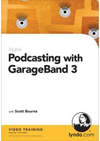
 That’s the tile of a video training CD from lynda.com. The instructor, Scott Bourne, is really good. GarageBand a piece of Apple software most noted for making music but the latest upgrade includes some nice podcasting features. I have access to very good recording and editing hardware and software but I’d like to see what I can produce on the MacBook. The two CD set runs about $50 bucks but I think it’s worth it. I confess I got hooked by working through the first few lessons on the lynda.com website. I think it was at the end of Lesson #3 that I realized I’d have to subscribe or buy the CD to get more. By then I was hooked. Well done lynda.com. Let me get through the two CD’s and I’ll put something together, post it here and you can judge for yourself if the training is any good. [Amazon]
Category Archives: Gadgets & Apps
Phil gets a MacBook
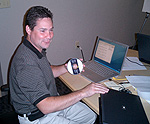 Phil Atkinson, head of Learfield’s IT operation, was forced… I mean, he really had no choice… to purchase a MacBook Pro. As our company does more with podcasting and video and iTunes… having a Mac in the house will just make Phil’s life a little easier. At least, that’s the line he gave me. Here you see him closing the cover on the win box and opening the Mac. An image heavy with symbolism. He reports that Bootcamp makes it a snap to run OSX and XP (sound of cash register in Cupertino).
iTunes video
 Tonight I purchased (and watched) my first TV show from iTunes. I somehow missed the first episode of Comedy Central’s Reno 911 (Seaon Four) but there it was on iTunes for just $1.99. I’m sure the cable channel will show the episode again (many times). But I wanted to see it now and I wanted to experience watching a TV show on my Mac Book (I don’t have a video iPod).
Took about 2 minutes to download the file and I found it to be very watchable on the small screen. I might just purchase every episode for the convenience of having them on my Mac Book to watch whenever/wherever. This is where it’s headed folks.
Mac on the road
I can’t remember who made the first “portable” computer I owned but the bastard must have weighed 15 pounds. Connecting to the web wasn’t an issue in those days because it didn’t exist (in any way that mattered to me). I can’t even remember what I did with the laptop on the road.
This is my first outing with a Mac and I couldn’t be happier. The hotel charged me $10 a day for cable access but I just plugged it in and was up and running. Wifi was very slow at the conference but the Mac found the signal with no fiddling or port futzing.
I’m posting this from the Seattle airport where $8 buys 24 hours of really fast net access. Nobody needs 24 hours but what a great way to pass the time (or do bidness). And, again, so easy. This is the way mobile computing was meant to be.
Mac migration continues
After I purchased my iPod nano (a year ago? two years?), I installed iTunes on my home desktop Windows machine. And for the most part, that has worked fine. This morning I migrated everything over to the Mac Book and sync’d up the nano. My original thought was I wanted to be able to update podcasts wherever I might be. Before, I had hook up to the home PC…now I sync with the Mac Book which I am keeping with me more and more.
I’ve also loaded my Outlook contacts back on the nano (I’ve found this to be extremely useful). First time I did this it was a bit of a pain. Had to export the contacts from my Win machine at work and jump thru a couple of hoops to get the file on the nano. These days, I keep my Mac Book Address Book sync’d with work (I just drag and drop a file) and sync’ing the nano with the Mac Book is… well, you’ve seen the TV ads.
Pre-Mac, I tended to keep a lot of stuff scattered between home, work, laptop. I find myself looking for ways to get my most important stuff on the Mac. I’m looking forward to my first road trip with the Mac.