
Bill Gates hanging it up

Microsoft Chairman Bill Gates announced today that he will transition from day-to-day responsibilities at the company he co-founded to concentrate on charitable work…but will continue as the company’s chairman after transferring his duties over a two-year period. That has a familiar ring to it.

Impossible not to wonder if Bill doesn’t see some writing on the wall for MS and wants to step down before the company looses it’s place in The Great Digital Scheme of Things. Or, maybe it’s just time to do something different. Why not?

While it’s difficult to imagine a world in which Microsoft isn’t a major player, I can remember watching nuke-laden B-52’s skimming over Kennett on their way to the SAC base at Blytheville, Arkansas. Couldn’t imagine a world without the USSR. Then, one day, it was just gone. Poof. What? You think comparing Microsoft and the fall of the Soviet Union is a stretch? Maybe it’s just the effect of resting my wrists on this Mac Book.

Personally, I’m grateful that Mr. Gates came along and gave us Windows. He made computing easier and more fun for smays. I wish him well.
Google spreadsheets

When I bought the MacBook, I decided not to purchase Microsoft Office. I can’t remember the last time I felt the need to write something in Office. And few things make me go nuts faster than getting an email that says “see attached Word doc” in the body…and the Word doc has two lines of crap that could just as easily have been written in the body of the email (Get a clue you ignorant hillbilly!). What was my point? Oh yeah, MS Office…

Don’t need it. Don’t need Powerpoint. And –as of tomorrow– I don’t need Excel.
Google is set to launch a Web-based spreadsheet program that will allow people to view and simultaneously edit data while conducting “in-document” chat and supports the import and export of documents in the .xls format used in Excel and the .csv (comma-separated values) format.

I’m not a heavy spreadsheet user and I’m guessing the folks in our finance and accounting department couldn’t get by with the new Google spreadsheet. But I’m doing fine without Office and finer tomorrow.

Final Cut Express HD

Installed Final Cut Express HD. This is the next step up from iMovie for video editing. As I understand it, “Express” is the Lite version of Final Cut Pro. At first glance, it reminds me of Adobe Premiere in that it’s packed with features and will have a bit of a learning curve. But it comes with an excellent tutorial DVD so, we’ll see. I can see myself running back to Studio 9 (Windows) in a pinch.

Cool Mac feature: Use two fingers to scroll web page

I just stumbled across this (Mac) feature and it made me give out a little school girl gasp. You drag your finger around on the mouse pad to move the cursor. All mouse pads work this way. Use two fingers on the mouse pad, and it scrolls the web page up and down. Okay, that doesn’t sound cool when you read it. But it feels very cool and a wonderful way to move navigate on the page.

Video chat on the Mac

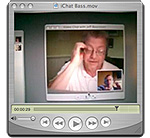
iChatTwenty years of DOS and Windows has conditioned me to expect new things to be difficult. As I fired up the Mac in preparation for this evening’s attempt to have a video chat with Bass, I was mentally girding myself for a long, frustrating evening. Bass was already online and waiting for me so the first thing I saw was a little window asking me if I would accept a video chat? Uh, yeah, sure. And there was Bass, in all of his video glory (video).

We played with the lighting a little and he offered a few tips for good video chatting. But there was none of the futzing and fiddling and tweaking and rebooting. We were…chatting. A few more experiences like this I’ll be handing out Mac flyers on street corners. Now all I need are some folks to chat with. My .mac user name is smays.com. I look forward to hearing from you.

BTW, the video clip about (:30) was shot with my little Casio. George tells me about a handy little app that records iChat sessions. Stay tuned.