Seth Godin on radio’s future

Mark Ramsey has posted audio (and partial transcript) of an interview with marketing maven Seth Godin, on the future of radio. This is an update to an earlier interview. These three nuggets sloshed out of my pan:

“So if you’re an advertiser and you have a choice between reaching a ton of people who couldn’t care less, and so you have to talk really fast, yell, and make obscene promises on the radio to get them to show up at your dealership, or reach a smaller group of people about something that they’re very interested in a very connected way, in the long run advertisers are going to come back to the smaller, more tightly knit group.”

“Everything radio has done has been about leveraging a rare piece of spectrum, and the thing we have to acknowledge is that spectrum isn’t rare anymore. So the one asset you built your whole organization on is going away really fast and instead of putting your head in the sand and complaining about that, take advantage of the momentum so that when it does finally disappear, you have something else.”

“Consider the FCC’s ruling recently about the white space spectrum. What white space spectrum is going to mean is that in five years every car sold is going to have an infinite number of radio stations on it. Not 100 or 1,000 but more radio stations than you could listen to in your lifetime, and if that’s true, tell me again why you’re going to win?”
My first “Digital Audio Player”

SandiskOne of my first posts on podcasting was in November, 2004, and featured a little SanDisk  “Digital Audio Player” I had purchased. Apple’s iPod had already been around for a couple of years but I saw no reason to pay more when the little SanDisk would work just fine.

I found the player in a drawer this week and marveled at it’s… clunkiness? Will my sleek new nano look just as ugly four years from now? Hard to imagine.

Sharing music

We were listening to some new tunes on Roger’s iPod as we drove back to Jeff City from Columbia. Like most new cars, his has an input jack for the iPod (or whatever). So it was easy for me to pull out my nano [insert joke here], plug in and play one of my tunes.

As we listened, it occurred to me this simple act couldn’t happen in a pre-iPod world, at least not easily. Yeah, I guess I could have had a pocket-full of cassettes or CD’s, but Roger and I had thousands of songs between us and we thought nothing of switching from his iPod to mine.

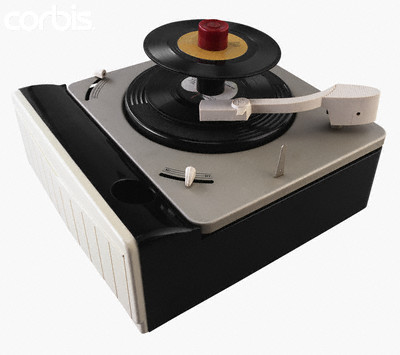
Cb011960My old pal RP was an avid collector of 45 rpm records. He had big cardboard boxes jammed with “singles.” The best we could do back then was stack 20 or so on a fat little spindle that would drop the next 45 down to the turntable. Shuffle? Sure, like a deck of cards.
I seem to recall RP telling me he had copied all of his 45’s to CD. Don’t know if he’s made the final leap to an iPod.

It’s hard to imagine what’s next but even hard to imagine there won’t be a “next.”

Coffee Zone Radio

Coffee Zone proprietor Tasir Yanis has an amazing mix of songs on his iPod. That’s what we listen to here at the Zone. Maybe it’s just the ambience of a coffee shop but the former radio program director in me often thinks Taisir’s mix would make a great radio format. Except for all the commercials you’d have to jam in between the songs.

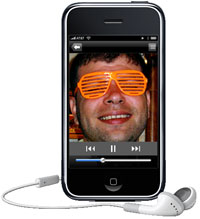
CoffeezoneradioOr we could just download this little app for our iPhones. If I understand this correctly, it enables you to tap into your entire music collection on your home PC via your iPhone – and the music collections of your friends, too – and stream all of the above to your phone, wherever you go. [YouTube demo]

I found this on Mark Ramsey’s Hear 2.0 who describes it as being able to “create our own radio stations from our own content and share them with friends who are mobile.”

So I could listen to Coffee Zone Radio wherever I am? Or Planet Nelson Radio? Or Scott Brandon’s Friday Funk?

Okay, the iPhone is starting to look more and more like something I’m going to have to have. But I really want the thing to stream video, too. I’m getting close.

iMage Webcam, CamTwist and Ustream

I’ve been trying to assemble the best combination (for me) of hardware and software for streaming live video. The ease-of-use and price (free, for now) of Ustream.tv has made it possible for any nimrod to play in Wayne’s World.

Image200

MacBooks, with the built-in iSight camera, make live video just that much easier but sometimes you want to point the camera the other direction, so an external webcam enters the picture (so to speak).

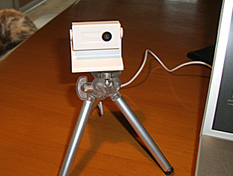
This weekend I’ve been playing with the iMage webcam from eCamm. It doesn’t look like much but –for $60– it delivers a very nice image and you can put it in your pocket. I’ve mounted mine on a small tripod.

The final –and most exciting– piece of the puzzle has been a freeware app called CamTwist. CamTwist works very well with Ustream.tv and comes with an amazing set of features and a UI that’s intuitive and easy to use. If you’re interested, I recommend this short video, but let me mention some of the cool things CamTwist does:

  • Stream your desktop. Rather than making your webcam the video source, CamTwist lets you stream all or part of your computer’s desktop. Let’s say I wanted to show some co-workers in Des Moines how to use a new piece of software. I could simply stream the demo over Ustream. Much better than me trying to remotely "take over" their desktop.
  • Slide Show. The slide show source allows you to stream still pictures. You can drag pictures to the list from your desktop and even iPhoto.
  • Movie. With the movie source, you can play movies over your broadcast. You can drag in several movies to the play list or select a single movie with the movie selection button. Next Saturday George and I are gonna take another run at streaming live from the Coffee Zone. Instead of just watching us yacking for half an hour, we can play video clips as part of the live feed.
  • Flickr Set. Similar to Slide Show, the flickr set source will fetch pictures from a flickr feed and stream them on your broadcast. Why would you want to do this? I don’t know, but it’s cool.
  • Picture-in-Picture. Once you have your video going, it’s possible to overlay another video source on your video.
  • Chroma Key. Sometimes called a Green Screen. This is typically used to create the appearance that something is behind you, such as a picture or a movie. George and I figured out the other features but I haven’t tried this one yet.

There you have it. An inexpensive webcam; a feature-rich piece of freeware; and –for now– a free streaming solution at Ustream.tv. Do we have any program that’s especially compelling or useful? No. But that will be the easy part. And when it comes up, we’ll be ready to share it with the world.