
Thanks to Bob Priddy for the link.
Category Archives: Commercials
Google Voice now for everyone
Google Voice was “invitation only” for a long time but now they’ve opened it up so I’m going to start using the number I’ve had for a while. Only way I’m going to get the hang of it. Video above runs about 90 sec. The link in the sidebar will probably take you to my voice-mail, at least until I learn the ropes.
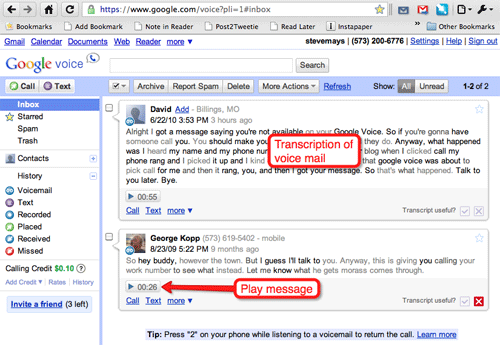
Image above is the Google Voice in-box. Google Voice does a fair job of transcribing the voice mail message (close enough). I can also play the message, of course.
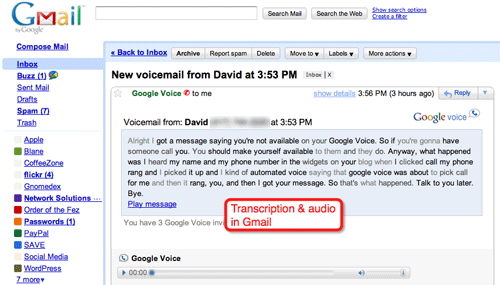
I also received an email that had pretty much the same thing. You can also set it up for a text alert.
Google voice does a lot more but I’m not going to try to explain it until I have a better grasp. And the video at the top of this post really has all you need.
While I might not wan to give out my mobile number to everyone, I can safely give out my Google Voice number (573-200-6776) and rely on Google to help me manage it all. For example, I can have Barb’s calls come straight to my iPhone… while sending calls from her sister right into voice-mail.
Google Chrome speed tests
I’m sure Microsoft has some neat videos about their browser, too.
Darth Vader’s recording for TomTom GPS
BBC: Never stop asking questions
Reply
Sports Illustrated – tablet demo
More at PaidContent.org. This could sell the bejeezus out of the first cool tablet.
Stethoscope app
YouTube Direct
How will anyone make order out of the chaos of millions of “amateur” videos? YouTube Direct.
Dropbox
Dropbox is near the top of my short-list of apps/tools I can’t live without. When I need to move a file from my MacBook to the iMac, it goes into Dropbox icon in my menu bar… and a few seconds later I take it out of the Dropbox on the big computer. Much faster than plugging in a thumb-drive. And it works for files too big to send as email attachments.
And it’s great for files that I use a lot and what to have available anywhere. Sure, I could use MobileMe’s iDisk and do sometimes but nothing is as easy as Dropbox.
And the Public folder is the perfect way to share a big file.
What is Google Wave?
Ah, starting to make sense. I’d very much like to try this out. I no longer rely on email as my primary means of communicating online. Google Wave just might be The Thing.