What did we do before computers?

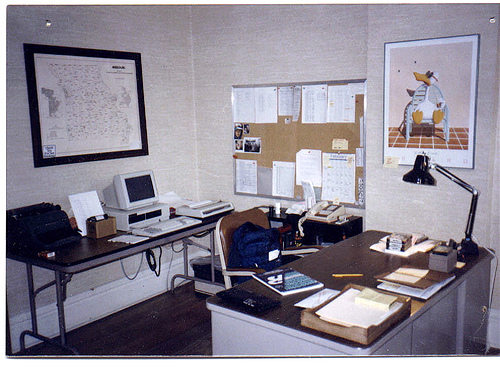
It’s a question I silently ask myself from time to time, so I thought I’d try to reconstruct how I (and others) did my job when I first came to Learfield in 1984. (This photo was taken in 1985 and I’m including it with this post as a memory aid. Annotated version.)
It might be easier to to start with what we didn’t have. I’m going to say no computers even though there was a Lisa II (?) running VisiCalc. No fax machine. No mobile phones.

The bulk of my job was dealing with affiliate radio stations and there was only three ways to do that:

1. Call them on the phone
2. Send them a letter in the mail
3. Get in the car and go see them in person

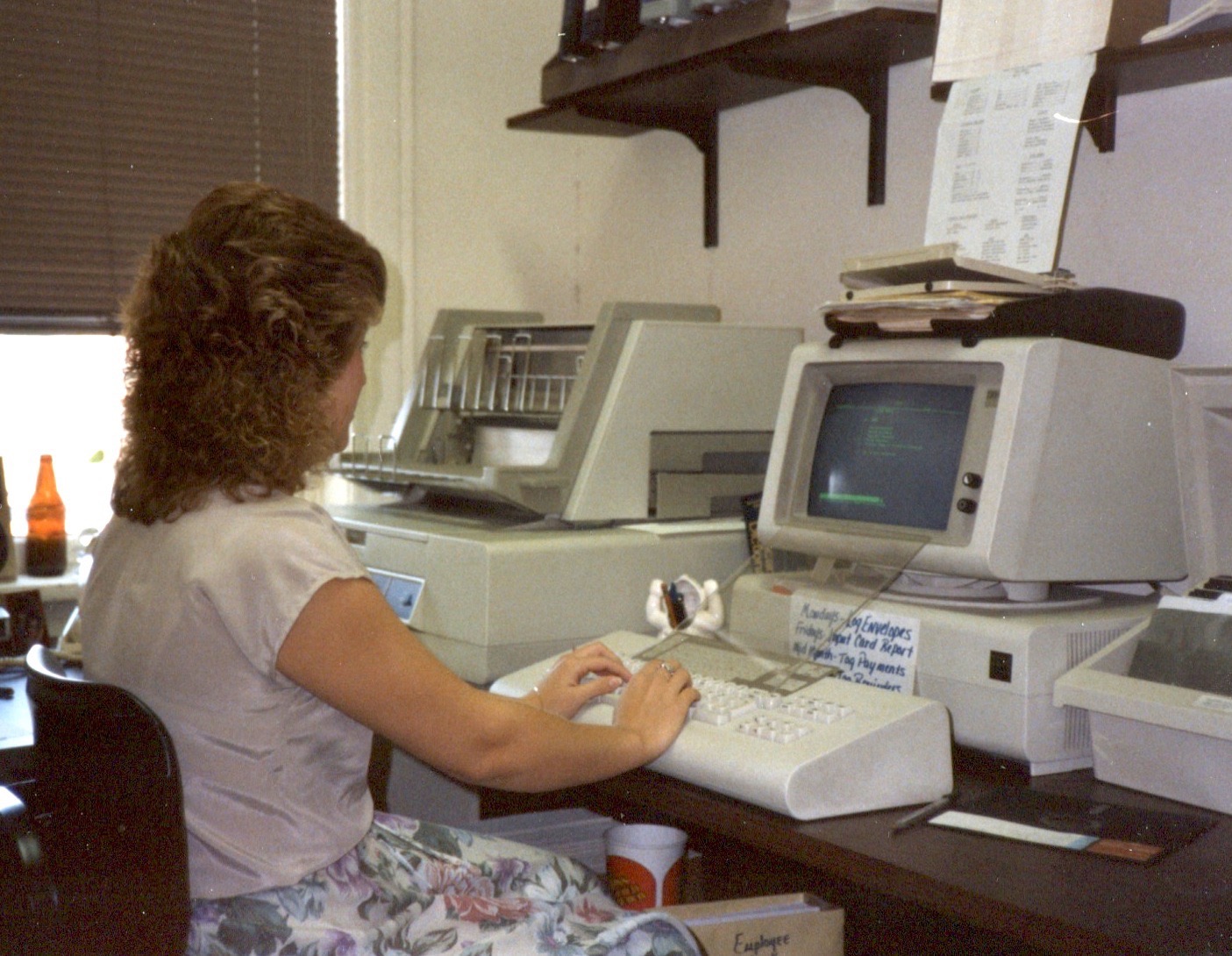
Each week we would send stations a “log” showing which commercials would be airing in each of the news or farm programs we sent them via satellite. One of the secretaries had drawn a table (6 columns for M-Sa and 13 rows for the number of shows) using a ruler. This was copied (we had a copier) each week and the blank table was rolled into an IMB Selectric typewriter and the names of the sponsors typed in.

This had to be completed by Wednesday of each week in order to get them mailed and to the stations in time for their “traffic” person to insert those commercials into THEIR log for the coming week. And delay and the system fell apart.

The photo above reminds me I used a manual typewriter often enough to keep it close. The computer in the photos is a Zenith and I was the only person in the company with his own personal computer.

We also had a big IBM Displaywriter that allowed us to do mail-merge documents. Amazing tech for the time.
Next to my phone is a Rolodex with all of my contacts, each typed on the big Royal but continuously updated with scratch-throughs and margin notes. If you got fired, you wanted to have a copy of your Rolodex.

If –god forbid– we needed to get information to every network affiliate “fast,” someone had to call each station, one at at time.

One of the tools I relied upon most was my big map. You can’t see them but there is a pin showing the location of each radio station on the network. It was a thrill to add a new pin and agony to remove one.

Long before Google Docs, there was the bulletin board for all the important lists. (this was not portable)

Years later we got our first fax machines, even though most of our stations didn’t have them. We knew they would. Someone stood at the machine and keyed in the name and phone number of every radio station (or advertiser). When you wanted to blast a fax out to a “list,” you fed the document in and it called each number, transmitted the facsimile; printed a “receipt” and then called the next number on the list. It was wonderful. We didn’t have to wait 3 or 4 days for the USPS.

And it got better. As we got more computers and modems, programs like WinFax could do the job of a fax machine but with far less effort and with much greater speed. We could keep a station’s fax machine humming all day and all night, burning up expensive rolls of thermal paper. The term “spam” was years in the future.

Now we post information to our websites and stations download at their leisure. We communicate with them on Facebook and Twitter and all the rest. Email is instantaneous.

Will it get faster/better/easier still? Hard to imagine how but I assume it will
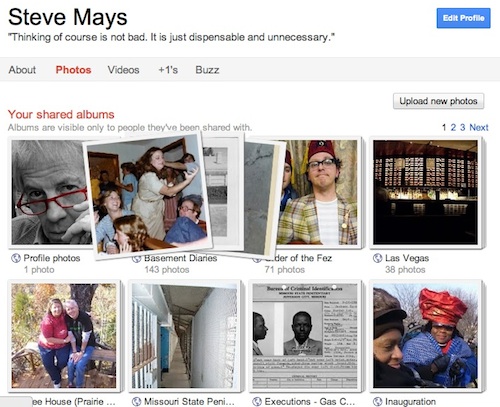
Revisiting Picassa

I’m a long-time flickr fan. Have a couple of thousand photos in my photostream. Shoot, I’m paid up until 2013. It’s a great service. And yesterday I downloaded (copied) all of those photos and posted them to my Picassa account.

The geek-o-sphere is buzzing (wait, no good)… is all atwitter (uh, that won’t work)… talking about Google+, the new social initiative from Google. If you haven’t followed this, it’s not important, except to explain why I’m exploring another place to put my photos online.

I’m a big fan of most Google services (Gmail, Reader, YouTube, Calendar, Maps, etc etc) and all of these will –eventually– be tightly integrated with Google+. It dawned on me that photos was about the only thing I was not using Google for.

No one knows if Google+ will be a success but I’m hoping that it is and decided it made sense to bring my pix under the Google tent.

And if you have an invite…

Shortmail

Shortmail.com is designed to create a digestible inbox. By limiting messages to 500 characters, Shortmail is “stressing conciseness.” Like Twitter, Shortmail features a character counter which tracks each letter typed–reach the max, and Shortmail will not allow you to send the message. The same restriction applies to messages received. — More at FastCompany

You can Shortmail me at: smaysdotcom@shortmail.com

“Consumers don’t want tablets, they want iPads”

“Fifty percent of respondents preferred Apple over all other brands. There is a remarkable degree of unanimity in consumer’s preferences for the iPad over competing products. … In the US, we find that Apple has more than double the brand appeal of BlackBerry, HTC, Motorola, Nokia and Samsung combined. These manufacturers have a very high level of brand equity and visibility in adjacent categories. It is striking that they hold so little appeal for consumers in tablets.”

WSJ’s All Things Digital

My favorite line from this post: “Apple is succeeding in the category because it reinvented it.”

Why I love Gmail #326

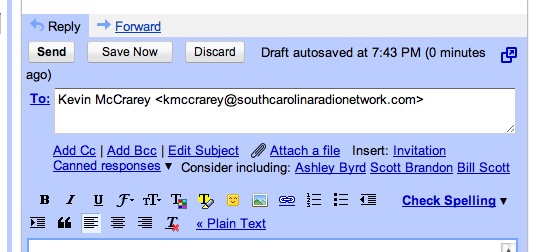
The screenshot above is from a reply to an email earlier today. Note the “Consider including” option. The first two suggestions are on the money (not so “Bill Scott”). Gmail has had this feature for a while but I just haven’t been noticing it. It just gets smarter and smarter. I also like the option of editing the subject line but perhaps most email clients do this.

Instagram

Every time I peek at Instagram, I find remarkable new images. This one by someone calling themselves purposofenvy. You can see more of his/her photos here.
Not sure why I find instagram so appealing. I think it’s that the photo is the extent of the communication. You can intuit (?) a lot about someone without a bunch of words. The photo is the story.

Apple to disable iPhone camera at live events?

From the Economic Times: Apple is developing a software that will restrict iPhone users from recording a live concert or sporting event. The software will ensure that an iPhone, while trying to record an event, triggers the infra-red sensors installed at the venue. These sensors would then automatically instruct the iPhone to shut down its camera function, preventing any footage from being recorded, reports the Daily Mail. However, while only the phone’s camera would be temporarily disabled, other features, such as texting and making calls, would still work. 

Is this to protect the rights of the concert promoters, artists and media companies… or just a way to deal with the morons holding up their cameras for 2 hours? 

Chrome Notebook

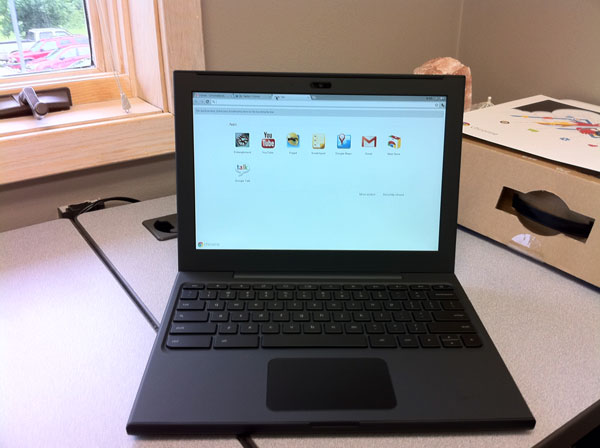
I was certain I had posted something about Google sending me a Chrome Notebook to try out but I can’t seem to find it [will update later]. After playing with it for a week I handed it off to George Kopp who kept it for a week and then last Saturday, Tom Piper took it. His excellent comments below.

Disclaimer: The first most difficult task is to set aside 32 years of self-contained computer experience (since my first Apple ][ 48K computer), and to stop using hand gestures on the trackpad to make things happen. That being said, I approached the Chromebook as a “new user” with a zest for trying out everything I saw.

Step 1: First impressions of this laptop are very positive. With a screen a little over 12″ diagonal, weighing in at just over 3 lbs, and a petite size of less than 1″ x 9″ x 12″, it feels like a solid package. The rubberized texture of the surface gives it a sense of stability which is easy to handle and carry around. The keys and trackpad are laid out well, and simple to understand.

Step 2: Hit the power button upper-left of keyboard, wait less than 10 second watching the colorful Chrome logo, and I am presented with an opportunity to select my local Wi-Fi network, and setup my Google-based login account, complete with a self-portrait . . . thereafter, I just select my picture, enter my password, hit Return, and I am instantly on the desktop. I am confronted with eight icons to choose from, which is very straight-forward.

Step 3: I start by double-clicking the YouTube icon. which takes me to the YouTube website in about 5 seconds. I select something under Most Viewed, and almost immediately am watching live action. Click on the left-arrow at upper-left, and I’m back to the YouTube menu where I select another . . . very quick response, but the sound on the unit isn’t very good. It’s time to move on, so I click an “x” in the upper tab, and return to the main screen.

Step 4: A double-click on Google Calendar brought up a week-at-a-glance view showing 7am-to-7pm time slots, and pre-posted holidays, plus a full-month minature at the upper-left corner. Buttons at the upper-right easily take me to one day, a week, a month, 4 days or agenda for all posted activities for the year . . . again, very fast. Edits a powerful with times, reminders, colors, guests, descriptions and more.

Step 5: Next, I tried GoogleDocs, which let me access and modify files I had previously posted. Simple and easy to do, little thought needed. I added the Scratchpad by clicking on the “+” next to the top top . . . neat little tool to capture and save thoughts while using another application. Gmail brought up a familiar screen showing email that I usually receive here . . . no surprises. GoogleTalk is my next tab opened, which appears that it will let me chat with another Google account holder, maybe even with video since I see a little green videocam silhouette (did not use this feature).

Step 6: Chrome Web Store is my next open tab showing lots of opportunities to get more programs, divided into descriptive categories. Popular Science (a hardcopy magazine I already get) was my first selection, which immediately appeared on screen and installed as a new main screen icon. Within 5 seconds of double-clicking, I’m in the animated magazine complete with movies and sound (adding earbuds improved the sound quality) . . . very fast access! I couldn’t resist installing Angry Birds (free) which played incredibly well. WeatherBug was my next installation (very fast installment) which worked great, giving excellent and quick information.

Step 7: Entanglement was my next tab to engage . . . cool music, with nice tutorial, but a little confusing, and very unusual game. I’m not much of a gamer, since this program, though intriguing, didn’t hold my interest.

Conclusion: The more I do, the more fun and engaging the experience with the Chromebook becomes. Overall, I found the response to be very good, the detail to be satisfyiing, the opportunities to be alluring, and the future to be full of possibilities (in spite of a trackpad that kept moving the cursor when I was trying to click on something). With a current market price of $430-$500 (Samsung at BestBuy), this device seems overpriced, but perhaps retail buying will get better with competition. In a fixed environment like an office, or at home (but not traveling), I could see real value in this unit.

Tom describes the battery life as “very impressive.”

UPDATE (6/26/11): Andy Small test-drove the Chrome for a week and shares his impressions.

iMovie on the iPad

I’ve had the iPad2 for a while but hadn’t gotten around to doing any video, so I sat down with Jeff Moore, one the sellers for our company. He’d just returned the World Pork Expo so I asked him a few questions about the event.

I thought audio and video quality on the iPad was pretty good (I typically do a shitty job with lighting). And iMovie has some very nice features. I was a little disappointed with the title options but that might be just my lack of familiarity with the app.
Here’s a pretty good demo of the features