
I created a note on my iPhone using Siri and voice-to-text. (In a noisy coffee shop). Music is great on the AirPods but my primary reason for the purchase was to see if/how AirPods could change the way I interacted with the iPhone. Using Siri (far from perfect) to read messages and email; create and send messages and email; schedule reminders; etc. Without removing the phone from my pocket. [Video runs 20 sec]
Tag Archives: Siri
New Siri voice
“Hey, Siri” hands-free
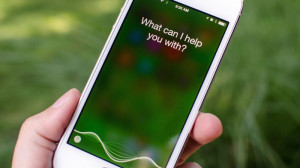 Apple’s Siri gets lot of shit but not from me. I use it more all the time (and I like “Okay, Google” as well). But Siri became even more useful when I learned I could summon him/her just by saying, “Hey, Siri” as opposed to double tapping the home button. This only works when the phone is plugged in but that makes sense if you think about it.
When I’m reading in bed in the evening the phone is charging on the bed-side table and I might say “Hey, Siri… set alarm for 7:30 tomorrow” or “Hey, Siri… new reminder. Pick up dry cleaning tomorrow afternoon.”
This feature is even more useful in the car (I just started using a cradle). “Hey, Siri… Instant Message my location to Barb” or “Hey, Siri… how far am I from Nashville?”
While it’s not difficult to reach over and double-tap the home button, I find the “Hey, Siri” feature remarkably useful.