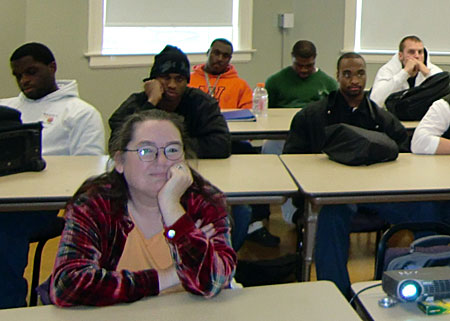
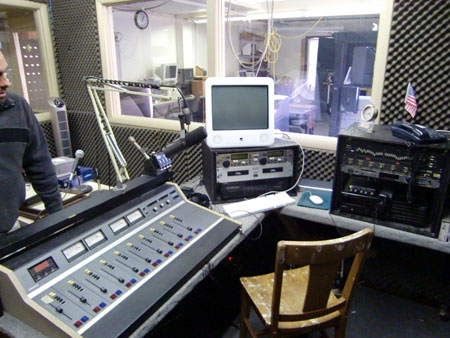
My recent visit to Central Methodist University included a tour of the campus which wound up in the studios of what was –I believe– the student radio station. I’m not sure when or why the station went off the air but the plan is to bring it back as an internet station.
During the few minutes I chatted with a couple of instructors and students about the project, I got the impression the approach will be… traditional, for lack of a better term. By that I mean, they’ll have a control room and studios with the usual assortment of recording and mixing hardware. Instead of pumping it all out to a transmitter and tower… they’ll stream it.
 As for programming, they plan to do what we used to call “block programming.” An interview program followed by a news program followed by… Music licensing issues prevent them from programming music.
The way college radio stations have always been programmed. I don’t doubt the students can learn some useful skills and gain some valuable experience doing this but I’m not sure it will prepare them for the future that is already here.
So what would I do if they put me in charge of the program for a semester?
I’d start by dropping the term “radio” and go with “media.” Not “new media,” just media.
I’d assemble production teams made up of a producer and host (and co-host?). These teams would be responsible for one 25 minute program a week. Can be any topic (more on that in a moment)
A Senior Producer and Managing Editor would coordinate these teams (using Basescamp or some similar online collaboration tool) and insure quality standards and deadlines were being met.
All or most of these programs would be produced as live feeds and podcasts. Instead of a “college radio station” (Internet or otherwise), you’d have a portal site (I hate that term) that featured each of the individual programs with a link to that programs blog (where the hosts and producer interact with listener/viewers). Show notes, comments, etc.
The central feature of the portal page would be a video section. It could be a live stream of one of the shows being recorded or some live event on campus. Or just a live webcam from the student center.
Equipment. Each team would have a laptop, a digital camera (video capable) and a small webcam. All shows would be produced on location. No reason to schlep back to a studio jammed with expensive equipment.
I wouldn’t limit this project to just students. I’d open it up to the community as well, but with students producing.
Once these podcasts are up, it’s an easy matter to track which ones produce a following. If nobody downloads, you fix the podcast or replace it. But you aren’t limited to the 24 hours of a real-time station. You can have as many programs as you have people to produce and watch/listen.
So what are the students learning here?
- How to write, edit and tell a story
- How to shoot and edit video and share it with the world
- How to build an online community or tribe
- How to produce a live webcast
- How to take and edit photos
- How about a course in Smart Phone Reporting?
…and so on and so forth. I’m not an educator so there could be lots of things wrong with this approach. I’m pretty sure it would cost a lot less than a more traditional approach while involving many more students (in and out of the communications program). If you have suggestions on this mythical program, please include them in the comments. Or, if you see flaws, post those as well.
PS: I think this might be a powerful recruitment tool, as well.
UPDATE/12.08.08: On a recent edition of NPR’s Morning Edition, Steve Inskeep interviewed journalist Sreenath Sreenivasan who, within an hour of the attacks in Mubai, began hosting a web radio call-in show with other Indian journalists, relaying what they knew. Sreenivasan used a service called Blog TalkRadio:
“BlogTalkRadio is the social radio network that allows users to connect quickly and directly with their audience. Using an ordinary telephone and computer hosts can create free, live, call-in talk shows with unlimited participants that are automatically archived and made available as podcasts. No software download is required. Listeners can subscribe to shows via RSS into iTunes and other feed readers.”