
In another month I will have been wearing my Apple Watch for two years. Not sure I could list all of the features I like about the watch and use a tiny fraction of what the watch can do. I do use the Health app on my iPhone to to remind me to take my medications at bedtime and last night I started browsing some of the fitness data that gets captured by the watch (without me doing anything). I then had Gemini provide some analysis. I was pleasantly surprised to discover I am in better shape than I would have guessed.(Some final thoughts in the comment section below) Continue reading
Tag Archives: Apple Watch
Apple Watch Camera Remote + AirPods Pro 3
In our ongoing effort to “die broke” I ordered the new Apple Watch 11 and a set of AirPods Pro 3. As I wait for these new toys to arrive, I’ve started playing with the Camera Remote feature on the Apple Watch.
 The idea is I can take a photo or video while the phone is across the room (or wherever). In the photo mode it captures a burst of images… and video works as you’d expect.
The AirPods Pro 3 has a number of cool new features, including recording audio from the AirPods instead of the iPhone. In this video (:13) it’s obvious the audio is being recorded from across the room. The new AirPods will also allow me to start and stop the video recording.
Apple Watch continues to amaze
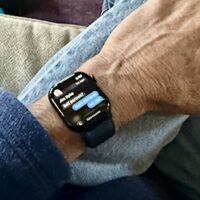 It took me ten years to take the Apple Watch plunge but after five weeks I can’t imagine how I got by without it. Can’t recall a single day during the past month that I didn’t find myself staring at my wrist in amazement.
While sitting on the couch with my morning coffee I heard a tiny ping and felt a gentle vibration on my wrist letting me know I had received a message. With little/no thought I voiced a reply.
You have to understand, this is big juju for one who remembers a time before mobile phones (and fax machines and ATM’s and credit cards!) And I’m probably using 2% of the watch’s capabilities. It’s like rummaging around in a magician’s closet. “Ooh! Look at this!”
As hoped, I am leaving the iPhone at home or in the other room more often. Marginally less screen time. And it turns out the health and fitness hype is not hype, at least not for me. I’m exercising daily and getting more sleep.
I still have high hopes for “Apple Intelligence” and what it might be able to do with all the data my watch is collecting and has access to.
ChatGPT as fitness trainer
As I understand it, the Apple Watch needs some initial fitness data to establish a baseline. It suggested I take a 20 minute walk on a flat surface with good access to GPS. I did three miles and noticed the watch was showing a heart rate just over 100 for most of the walk. I couldn’t remember the formula for calculating my target heart rate so I asked ChatGPT when I finished my walk. My pace was on the money and qualified as “vigorous exercise” for a person my age.
She asked if I was starting an exercise program and I explained I had purchased an Apple Watch and was exploring the health and fitness features.
It’ll be interesting to see how your heart rate responds to different activities. The Apple Watch’s trends over time should give you a clearer picture of your fitness progress. It’s a good way to get insight into your cardiovascular health and adjust workouts as needed. If you’re curious later on, I’d be happy to help you interpret any of the data or trends you notice!
I’m going to need a lot of help interpreting data and had not thought about getting it from ChatGPT. And I have a feeling that will get much easier, and more useful, when ChatGPT is fully integrated with iOS.
I left my new phone in the truck so I could try making a call and sending a message with the watch. Worked as advertised. Turns out I don’t have to do the “Hey, Siri” thing. The watch gently pointed out that I can simply bring the watch up toward my face and talk to it. In the immortal words of Gomer Pyle, “Shazam!”
Apple Watch: First Impressions
THIS IS NOT A REVIEW OF THE APPLE WATCH. Just some stream-of-consciousness first impressions. Runs just over 8 minutes. One thought to get you started: the watch already knows much more about me than I know about it and that will always be the case.