I remember when installing a new operating system took a huge stack of 3.5 inch floppies (or 5.25 inch floppies!). And a lot of time. But what was really needed back then –at least by me– was patience and courage.
You knew to a near certainty that your computer wouldn’t work at the end of the process. Or some of your applications wouldn’t work or you’d spend hours tracking down and installing drivers.
Somewhere along the way, I stopped upgrading my computers with new operating systems and just purchased a new computer with the newest OS already installed. An expensive solution.
So I have had mixed emotions about the new release of Mac OS X (Leopard). Lots of new features I’m eager for, but trepidation. My plan was to wait until my Mac sensei, George, had time to do the installation.
On Saturday he informed me that this was something that I could do. Back up my data, and stick in the installation DVD.
I took the added precaution of burning my photos and music to DVD and then (with hunched shoulders and squinted eyes) slipped in the installation DVD for Leopard. Less than an hour later, the new OS was running and –so far– nary a problem.
I won’t bore you with my early impressions of the features of this new system. The web is swarming with those. I will share one thing…
Time Machine is the new backup/restore application that comes with Leopard. So I bought a new external HD, plugged it in, and let Time Machine make another full back up of my computer. It will update that back up every time I connect the laptop and the drive.
The real test of any such app is the restoration. When the time comes I need to recover a file or –god forbid– the entire contents of my computer. Let’s hope that’s off in the future. But it’s a pretty slick tool and so easy to use, I will.
But the installation was as advertised: slot the DVD and take a nap.

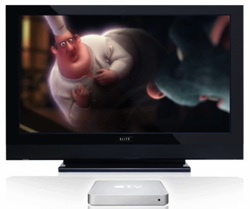 I think they got it right this time. My Apple TV brings the net to my living room. I can rent movies, buy TV shows and music, watch podcasts and YouTube videos and view photos from Flickr (mine or anyone else’s).