
iPad guided tours

I ordered an iPad (which shipped today) without having a clear idea of how we (Barb and I) would use it. Surf the web, check email, maybe read a book or two.
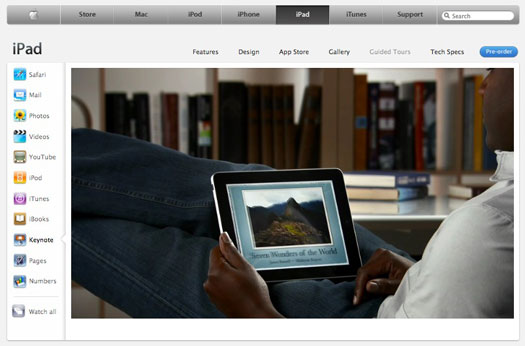
After watching the guided tours that went up on the Apple website today, I think I underestimated this little slab of magic. I was very impressed with the Keynote app. That’s the Apple version of PowerPoint. I can easily imagine whipping up a presentation while waiting for a flight.

Pages looked awfully good, too. I’d call it a word processor but it looks like a lot more on the iPad. I have Pages on all my Macs but rarely use it. I think I might on the iPad.

We won’t know until people get their hands on the iPad and start playing with it, but I think it’s going to become THE computer (or whatever we wind up calling it) for a lot of folks. If I had to guess, I’d say that 90% of the stuff that most folks doing on a laptop will be easier and more fun on the iPad.
Annnnd… click. iPad pre-order

I assume I was one thousands Apple fans waiting in front of their computers to pre-order the iPad. I imagine a computer deep in the marketing department at Cupertino, with Apple execs standing around, watching a counter whiring ever-faster.

The iPhone had people standing in line. I can’t think of many products that generated such interest and demand. A few gaming boxes but they didn’t have the broad appeal of these Apple devices.

iPads will begin shipping April 3rd.

Books: Analog and digital

I love books. I love to read but I also love books, the physical object. Hardback or paperback, I love the way they feel in my hands… the way they smell. I like scrawling notes in the margin and highlighting passages. Reading is a very tactile experience for me (and probably for most).

In a couple of days, I will join millions of others in pre-ordering the Apple iPad. I’m looking forward to using all of features and apps (current and future). I can’t imaging giving up my beloved books for a digital experience but I’m trying to keep an open mind. It is possible I will enjoy reading on the iPad.

With that in mind, I’ve been making a mental list of titles I plan to put on my virtual bookshelf.

  • Cryptonomicon, Neal Stephenson
  • Snow Crash, Neal Stephenson
  • Complete works of William Gibson
  • 1984, George Orwell (haven’t read since high school)
  • Life After Death, Book of Secrets by Deepak Chopra
  • Mac OS X, David Pogue
  • The Religion War by Scott Adams

Some of these are books that I have read several times (or expect to). I assume I will be able to highlight, annotate and search passages of my digital books. It might also be fun to link from the text of the book to a website. I haven’t heard or read anything about such a feature. We’ll see.

YouTube SimpleGallery

I love WordPress. I won’t bore you with all the reasons. But one very big one is: plug-ins. These are little add-on’s that add extra functionality to your blog/website. Today one of our sites needed a way to display multiple videos on a single page. I found several plug-in’s that looked like good candidates and settled on one called YouTube SimpleGallery. It’s free but I made a small donation to the developer.

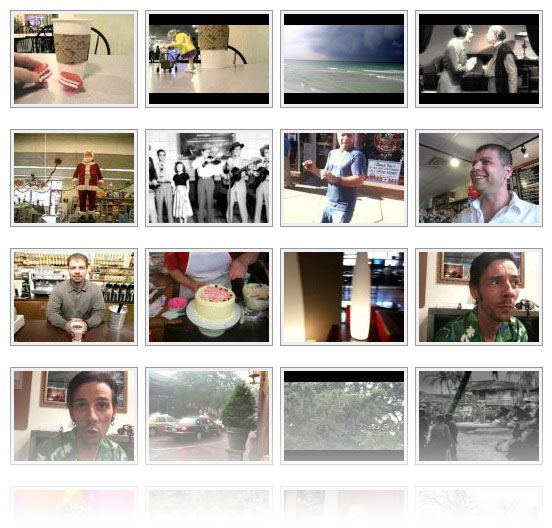
I usually test plug-in’s here, to get the hang of them. If you click on the VIDEO tab at the top of the page,you’ll see a bunch of thumbnail images that –when clicked– play the video on YouTube.

You can also configure the plug-in so the video pops up in its own window.