
I created a note on my iPhone using Siri and voice-to-text. (In a noisy coffee shop). Music is great on the AirPods but my primary reason for the purchase was to see if/how AirPods could change the way I interacted with the iPhone. Using Siri (far from perfect) to read messages and email; create and send messages and email; schedule reminders; etc. Without removing the phone from my pocket. [Video runs 20 sec]
Category Archives: Gadgets & Apps
Recording phone audio with ScreenFlow
During my working years I always had ready access to good recording equipment. This came in most handy when recording interviews by phone. Good telephone hybrids are expensive but make a big difference in quality.
Since retiring, I’ve used various tools for this task. I’ve mentioned Call Recorder for FaceTime which works well if both ends are using Mac gear. Years ago I tried Audio Hijack but found that glitchy. Probably a user issue.
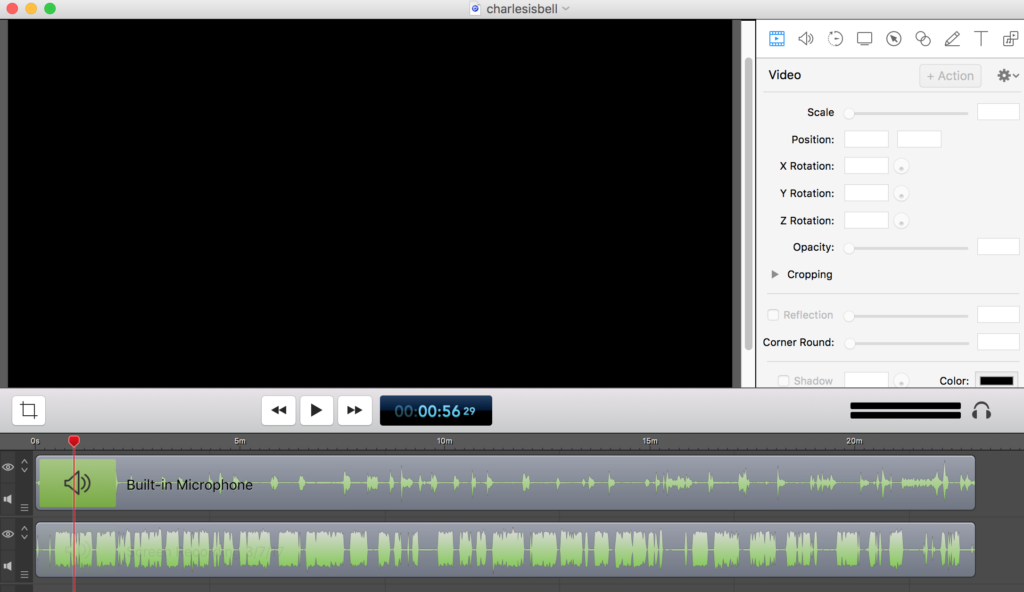
Yesterday I tried a different setup. I made the call via Google Hangout and recorded the audio with ScreenFlow. I use ScreenFlow to record screencasts but found I could simply turn off the camera and capture the audio. I was pleasantly surprised with the result. ScreenFlow captured the audio in two channels so it was easy to tweak the audio for each. There might be better ways to skin this cat but this is the best combination of easy and quality that I’ve found.
Apple AirPods
I was going to wait a few days before sharing any thoughts on my new Bluetooth headphones but I’ve been so impressed by the initial experience I’m going to share a few first impressions.
- I thought the regular Apple earbuds sounded fine but the audio quality of the AirPods is noticeably better. A lot better, IMO. Maybe a 25% improvement?
- Lots of folks complain about how earbuds and the new AirPods feel in their ears. Never a problem for me. I kept them in for an hour two last night and they were so comfortable I forgot they were in. I felt no movement when shaking my head vigorously or jumping up and down. I have no concern about them falling out. I have no doubt I’ll be wearing (?) these more than the wired earbuds.
- On that point, I was surprised by a new sense of freedom from the wire. (Like I said, this is my first experience with Bluetooth phones) Not having that little wire against my cheeks or snagging on a shirt button changes the experience far more than I would have expected. In a way that I can’t explain, the music feels like it’s in my head, instead of in my ears.
- Phone calls – Barb says I’m much easier to understand on a call (compared to just talking on the iPhone). I think this might be the result of ambient noise filters built into the system.
- Voice-to-text works great, even when speaking in lower-than-normal speaking level.
Still trying stuff (Siri commands/inquiries, etc) but these are keepers. Will it fundamentally change how I interact with the technology? To be determined.
Earning that Land Line Badge
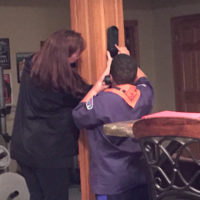 My friend Jason shared this photo taken at a Cub Scout meeting where the scouts learned how to use a landline telephone. He insists some of them had never used one. What’s to learn, you ask? What’s a “dial tone” and why do you have to wait until you hear it before dialing the number.
What sort of doomsday scenario would find a youngster… and all of his/her friends… without a working mobile phone? It could happen, I guess, but good look finding a “pay phone.”
Will Eagle Scouts someday earn a badge for learning how to drive a non-autonomous vehicle? Many laugh at the idea, but it seems plausible to me that a child born today will never “drive” a vehicle except in some theme part or VR environment.
Confide for the desktop
Confide is a messaging app with which you can “Communicate digitally with the same level of privacy and security as the spoken word. With encrypted messages that self-destruct.” I installed the app on my phone a few day ago after seeing a story about how it has become popular inside the Beltway.
The folks at Confide sent me an email letting me know they have a desktop version, which I installed on my Mac this morning. In the screenshot below, image #1 is what you see when you get a message. #2 is what you see when you move your cursor over the text.
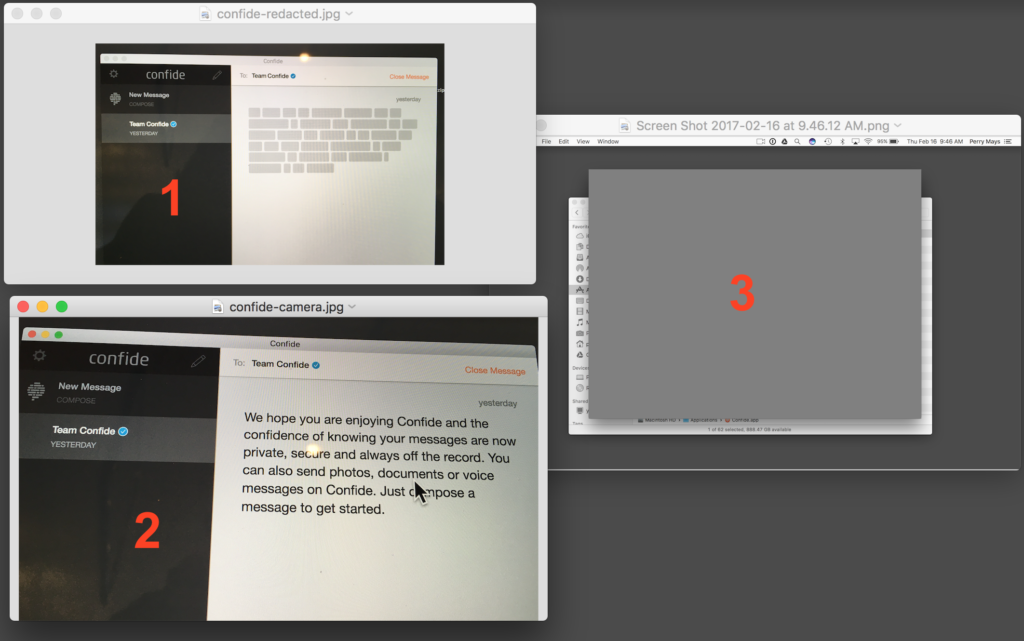
Security? I don’t think so. I’ll just do a screenshot of the clear text. (click) Image #3 is what showed up on my desktop. Hmmm. The only way I could capture the text was to use my iPhone to snap a photo of my monitor. Pretty clever.