JotNot Scanner Pro

Call 911, I’m having a handy attack! George turned me on to a wonderful iPhone app called JotNot Scanner Pro. Snap a photo of a document or page in a book or magazine, and the app converts it to a PDF. And the quality is very good, almost the same result you’d get with a flat-bed scanner.

I’ve been snapping pix of text and saving the images since I got the iPhone. But having it converted to PDF on the fly is the bee’s knees (mixed insect metaphors).

iPad stories

The company I work for has been giving iPads to our sellers as incentives for meeting sales goals. The iPads are theirs to use any way they choose. Here’s some of the feedback to date:

“I use it at home more than anything for web browsing etc.  But also bring it in the office everyday, just in case I made need it for meetings, etc”

“I never see it, but my family loves it!”

“My family and I have been enjoying the iPad since receiving it back in early August. I tend to use it more as an informational resource, especially to view daily newspapers and other on-line publications. My kids love the game apps and we have started to explore some of the educational programs. Much like the Wii and the Flip Video Cam previously, the iPad was a very popular gift this year for my gang.”

“Using it at home right now for personal use.  I am sure when sales season picks up I will use on some presentations.”

“Yes I use my iPad all the time at home…my laptop is collecting dust. I use it some at work for taking notes in a meeting. I can’t really use it beyond that because it’s not 3G. We have bad WiFi in the stadium where our offices are.”

“Using the iPad a lot at home actually. Funny enough, other than iTunes, we use it most with our 2 year old son. There are flash card apps on there that he LOVES, he asks to play on it almost every night. Pretty cool. Also really nice to have a second device with good internet access when either Stacie or I am on the MacBook at night. For work, not much lately just because there haven’t been the fact findings and presentations like we will have staring back again in January.”

“My 15 month old little boy is loving the iPad.  We have downloaded several Pixar movies to keep him entertained in the car as well as when we are dining out.  My wife has also downloaded several kid friendly apps that she uses as teaching/learning tools for him.  It has been awesome!  My mother-in-law has had an iPad for a while now, so (our son) knows his way around it much better than I.”

What do you think? Is the iPad a transformative (new) device? Will this (and similar) devices replace laptops one day? I expect our company to take the initiative in showing our sellers (and others) how to use the iPad as a communication tool in all kinds of settings. I find these stories very exciting.

This is why I blog

In March of of 2009 I posted an idea for an iPhone app for people who suffer from Alzheimer’s Disease. It continues to get comments, the most recent from a researcher in Australia New Zealand:

“I like your ideas! I am leading a small team of researchers that are in the process of examining uses of mobile computing technology in neurorehabilitation, including developing custom software for the iPhone. Our initial work is in traumatic brain injury, but it is likely that much of the work would be applicable to people with dementia, including Alzheimer’s Disease. That’s an area I’ve worked in previously, so will certainly be interested to extend the research into that area in the future as well. Thought you might be interested to know a little of what we’re up to.”

It would be fun to know that one of my ideas made it into an app that helped those dealing with this disease. If you or someone you know are using smart phones to “compensate for cognitive difficulties,” get in touch with Dr. Babbage.

Assuming Dr. Babbage found my post via a Google, I searched “Alzheimer’s Disease iPhone App” and it was number one result of 424,000. Twitter, Facebook, etc are all fun and/or useful but blogging is the only way I know to reach so many different people.

The Better Person plug-in

Imagine an email plug-in that scans what you have written and then runs it through a “tone” algorithm. “Neutral,” “Friendly,” “Sympathetic,” “Encouraging,” etc. If your words and phrasing do not match the tone you’ve selected, the plug-in rewrites accordingly. If unable to do so, it asks you do re-word the message.

It could know something about the recipient, based on previous emails, text messages, and voice-to-text phone messages (i.e. Google Voice)

If such a plug-in existed, it could eliminate misunderstandings. It could make you seem like a nicer person.

Would you use it?

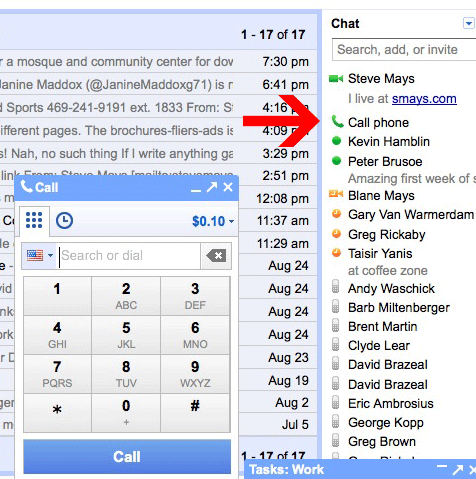
Phone calls from Gmail

The new service puts Google in competition with Skype (and all the other telcom providers). Gmail has offered voice and video chat for two years, but both parties must be at their computers.

I made a couple of calls tonight and the quality was pretty damned good. Will I call someone from my laptop instead of just picking up the mobile? Probably not when away from my desk, but I can imagine using my MacBook as a speed-dialing speaker phone. And my brother and I have been calling (laptop-to-laptop) back and forth from Indonesia for a couple of years. Sounds like he’s in the next room.

Calls to numbers in the United States and Canada will be free at least through the end of the year. International calls range from 2 cents a minute to many countries.

And if you need to reach me, my Google phone number is 573.200.6776

Scott Adams: “Editors are the chefs of the Internet.”

Scott Adams points to Newser to illustrate what he sees as the future of the Internet:

“Newser works, I believe, because somewhere in their back kitchen is an editor who has an uncommon feel for what stories to highlight, how to summarize them in a folksy voice, and in what order and combination they should appear. There’s some genius happening there. When I read news from other places, I often come away feeling deflated. When I read Newser, I always leave in a good mood. That’s why I return so often. It’s a mood enhancer masquerading as some sort of news site.

And that’s your future of the Internet. The cost of content, such as this blog, and my comic strip, will continue to approach zero. The art will happen with the editing. Others have made the obvious point that editing will be important for the future of the Internet. All I’m adding is the notion that most editors have skill, but few are artists. The world of print publishing is driven by editors who are exceptionally skilled. But they aren’t artists. Newser is edited by an artist. He or she isn’t giving me information; he’s adjusting my mood. That’s art. That’s the future.”

I don’t think I’ve ever visited Newser but I’m headed there now. Like thousands of others.

I’m back. And I wasn’t impressed by Newser but Mr. Adam’s point is a good one, nonetheless.

Readability

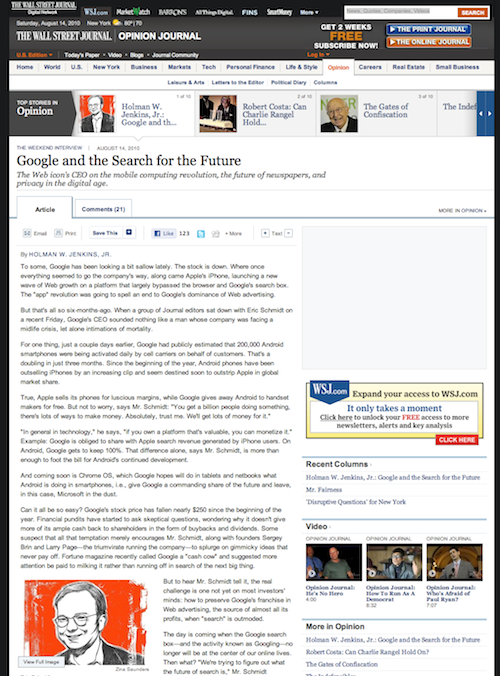
I’m sure I’ve posted on Readability before but I keep running into people who don’t know about it and that’s just sad. Here’s an example of a web page:

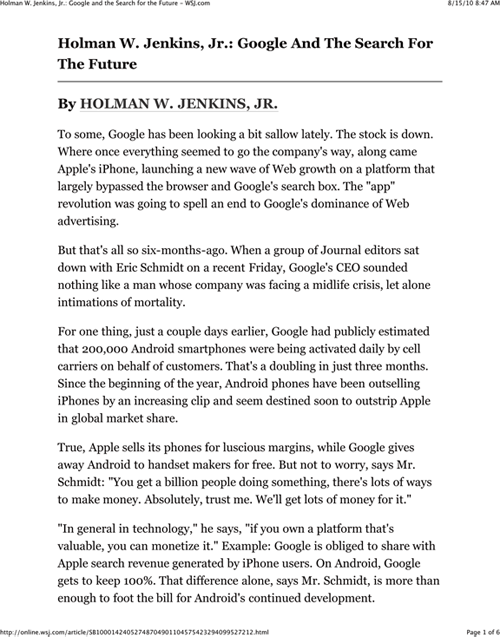
…and here’s the same page, viewed with Readability…

You just click a little bookmarklet in your browser’s tool bar.

Apple’s Magic Trackpad

I almost remember my first computer mouse. The weird sensation of coordinating my hand movements with the cursor on the screen. And –once I got the hang of it– how wonderful to be able to click and drag and all the rest. From time to time, you had to take the little ball from the guts of the mouse and clean off the crud sucked up from the desktop or the mouse pad (remember mouse pads?).

I tried some of the early touch pads but found them klunky. So, when I got my first MacBook –which came with a touch pad– I made sure I had a mouse close at hand. But the more I used the Mac’s touch pad, the more natural it felt. In time, I left the mouse at home.

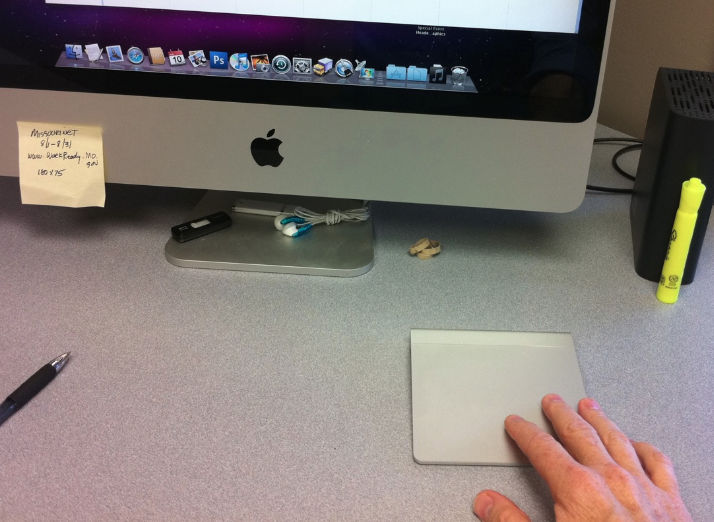
Apple recently began shipping the Magic Trackpad and I have to say I love it. It took a few hours to feel completely natural but I now find myself using all of my fingers to do lots of things that are much more difficult (if not impossible) with a mouse. And it all feels completely natural and ergonomic.

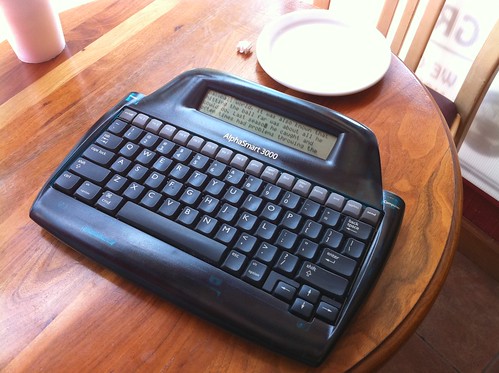
The AlphaSmart 3000

I spotted this at a nearby table in the Coffee Zone last week. I couldn’t resist interrupting the gentleman to inquire. The AlphaSmart 3000 is a word processor with a tiny LCD screen. Just 4 lines of text. You can call up other documents using the gray keys. There’s a USB port for moving your stuff to another computer.

According to the owner, a few AA batteries gives him 700 hours of hunting and pecking. I’d really like to meet and interview the person who conceived of this device.