JotNot Scanner Pro

Call 911, I’m having a handy attack! George turned me on to a wonderful iPhone app called JotNot Scanner Pro. Snap a photo of a document or page in a book or magazine, and the app converts it to a PDF. And the quality is very good, almost the same result you’d get with a flat-bed scanner.

I’ve been snapping pix of text and saving the images since I got the iPhone. But having it converted to PDF on the fly is the bee’s knees (mixed insect metaphors).

Steve Jobs’ “High Ground Maneuver”

A couple of observations on the iPhone antenna story:

  1. Of the dozen or so people I know who have the new phone, not one has had a problem.
  2. Most of the people who are pissing and moaning about this, don’t have an iPhone.

But Steve Jobs had to respond and he did so with what Scott Adams (SGITR*) calls the High Ground Maneuver:

“Apple’s response to the iPhone 4 problem didn’t follow the public relations playbook because Jobs decided to rewrite the playbook. (I pause now to insert the necessary phrase Magnificent Bastard.) If you want to know what genius looks like, study Jobs’ words: “We’re not perfect. Phones are not perfect. We all know that. But we want to make our users happy.”

Jobs changed the entire argument with nineteen words. He was brief. He spoke indisputable truth. And later in his press conference, he offered clear fixes.

Did it work? Check out the media response. There’s lots of talk about whether other smartphones are perfect or not. There’s lots of talk about whether Jobs’ response was the right one. But the central question that was in everyone’s head before the press conference – “Is the iPhone 4 a dud” – has, well, evaporated.”

Mr. Adams predicts Jobs’ response will become the public relations standard for consumer products. Let’s revisit this in 90 days.

*Smartest Guy in the Room

UPDATE: Seems I do know at least one person with the new phone who is having problems. I either forgot or repressed that. See Phil’s comment below.

Tech improves ER care

It’s the middle of the night and you’re just north of East Jesus, headed to the beach so the kids can play in an oil slick before they’re all gone, and gandma chokes on prune. How do you find the nearest emergency room? According to Telemedicine News, there’s an app for that:

Researchers at Massachusetts General Hospital’s Emergency Medicine Network have launched FindER™, a free iPhone application to help users locate the closest emergency room, provide directions, along with additional information all with a touch of the screen.

FindER uses the iPhone’s GPS to quickly direct patients to emergency rooms anywhere in the U.S. FindER is also designed for quick phone calls to both the care center and if necessary used to contact 911 emergency services. Once the symptoms are determined, information is available on specific emergency rooms that can treat the symptoms and the wait times for ERs.

EliteCare 24 hour Emergency Center in Texas has partnered with Healthagen® to promote their emergency center through the iTriage® applications. If help in an emergency is needed, the consumer can download the iPhone or android application or go to www.iTriageHealth.com using any capable smart phone or computer to evaluate symptoms. At that point, iTriage will pinpoint the locations and provide turn-by-turn directions to the closest type of facility needed anywhere in the country.

Helping patients receive live ER wait times via text messages in the middle of an emergency is a new way to reach consumers. To do this, ERTexting in Miami manages a new free 4ER411 system. This new service available in hospitals all over the U.S. enables patients to text their zip code to 4ER411 and then receive their local participating hospital ER wait times.

To help deliver the patient’s medical information directly to a first responder or emergency room physician, Emerging Healthcare Solutions Inc. has a smartphone application under development called “e-911”. The “e-911” App automatically delivers the user’s medical information to first responders or to doctors when 911 is dialed from an iPhone. The “e-911” will first be made available for Apple’s iPhone and after assuring product quality, the e-911 will then be offered through Google’s Android and Research in Motion’s BlackBerry

Protecting the new iPhone

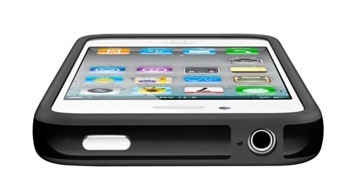
A common observation upon first holding the new iPhone is how nice it feels in the hand. The next is usually: “It would be easy to drop” …or something like that. The glass front and back makes it look fragile. And it might be, although I’m inclined to doubt that. Nevertheless, I have one of the little bumper guards on the way.

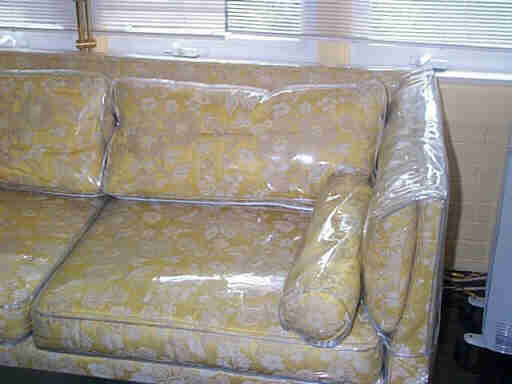
But I didn’t want to take a chance on breaking the new baby before the bumper arrives so I headed out to Best Buy where I purchased the cheapest case I could find. It’s  stiff, clear plastic that appears to be made of the very same plastic your grandmother used to cover the sofa.

And it’s a pretty nice case. Feels good in the hand. Easy to remove. Looks like it would protect the phone without getting in the way. But just a little too much like a cheap condom. The iPhone “feels” good and that is just as important as making calls (or babies).

iPhone 4

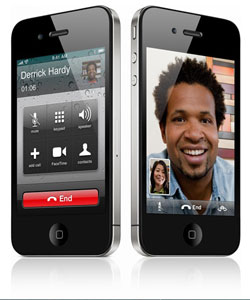
I knew I’d upgrade but I didn’t expect to be excited by the new iPhone 4. The front-facing camera and video chat didnt seem like something I’d use that much (I believe I said that about the original iPhone). But after watching the FaceTime video I’ve changed my mind. Once again, Mr. Jobs knows what I want before I do.