Pandora: I didn’t know what I was missing

I’m listening to Pandora more of late and with each new song/artist, I wonder at all the wonderful music and musicians I’ve never heard (or heard about). They’ve always been there, I just didn’t know about them.

It’s the same for the beautiful images on flickr, videos on YouTube and all the rest. What a pitiful trickle that used to flow through our lives. While we can never experience it all, it’s getting easier to drink a bit deeper.

Equally true for news and information, of course. How liberating to be free of the editorial decisions of a handful of editors and and programmers thousand of miles away. Not to mention that we can now contribute our own ideas and art.

How will we ever describe our pre-Internet lives to future generations? Will it be like explaining a time before electricity or indoor plumbing?
Blab-o-meter

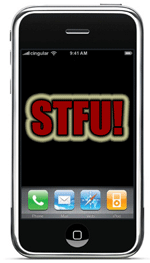
From my “Apps I’d Like to See” folder. Begin by letting Blab-o-meter sample your voice by recording a short paragraph. The audio is analyzed up in the cloud and sent back to your device.

As you and a friend settle in at your local coffee shop, you turn on Blab-o-meter and it begins monitoring how much you are talking. You can set the app to alert you by vibrating and or playing a sound (a throat clearing; “shhhhh!” etc) when you exceed some predetermined level. 50 percent might be reasonable or, if you’re trying to listen more, set it lower.

I spend a couple of hours in a coffee shop, six days a week. Usually by myself. I’m usually absorbed in what I’m reading or doing but I sometimes become aware of how much some people dominate a conversation (if you can even call it a conversation when one person is talking continuously and the other person doesn’t say a word. I’m being literal, here).

Let me hasten to add, this might be a very acceptable arrangement for both parties. One likes to talk, one likes to listen.

Until the Blab-o-meter becomes a reality, I’d like to ask my friends and acquaintences to give me some sort of visual cue when I start running off at the mouth. Perhaps two quick tugs of your earlobe (repeated as needed). Or, you might simply reference this post, “Hey, I thought your Blab-o-meter app was a great idea!”

Put it in the vault with 1Password

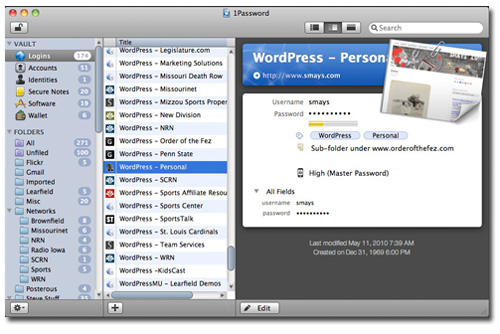
I keep up with a lot of passwords. Between WordPress, Twitter, flickr, Gmail, FTP accounts, etc for company and client websites (and my own)… 200+ logins. You have to have a secure way to manage all of this.

I’ve been use an app called Wallet for the last couple of years but recently purchased 1Password (on the solid recommendation of my Mac mentor, George).

I won’t attempt to list the features. There are too many and I’m still new to the program. But it’s as beautiful as it is functional. All my stuff is sync’d via the cloud so I can access from all of my computers and devices (iPhone, iPad, etc). Everything in one place, behind some really good encryption. They make it easy to be smart about my data.

1Password costs about $40 but it’s worth every penny. Mac and PC.

Kindel Book Reader for the iPad

I plut the Kindel book reader on the iPad because I couldn’t find the title I wanted for the iBook. But it works fine and while re-reading William Gibson’s Spook Country, I discovered an interesting feature.

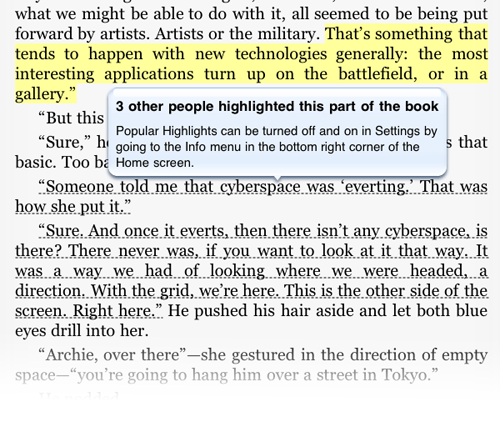
I highlight or underline passages in paper books and the the ebook readers make this nice and easy. In the example below, I highlighted a line in yellow. Curious about the dashed line under the next paragraph I clicked and got the little explanation bubble.

This feature can be turned off but I think I’ll leave it on for now. Obviously I have at least one thing in common with those other readers: this book. Interesting to see what passages they find noteworthy.